
What CMS Is This Website Using? How to Tell in Seconds

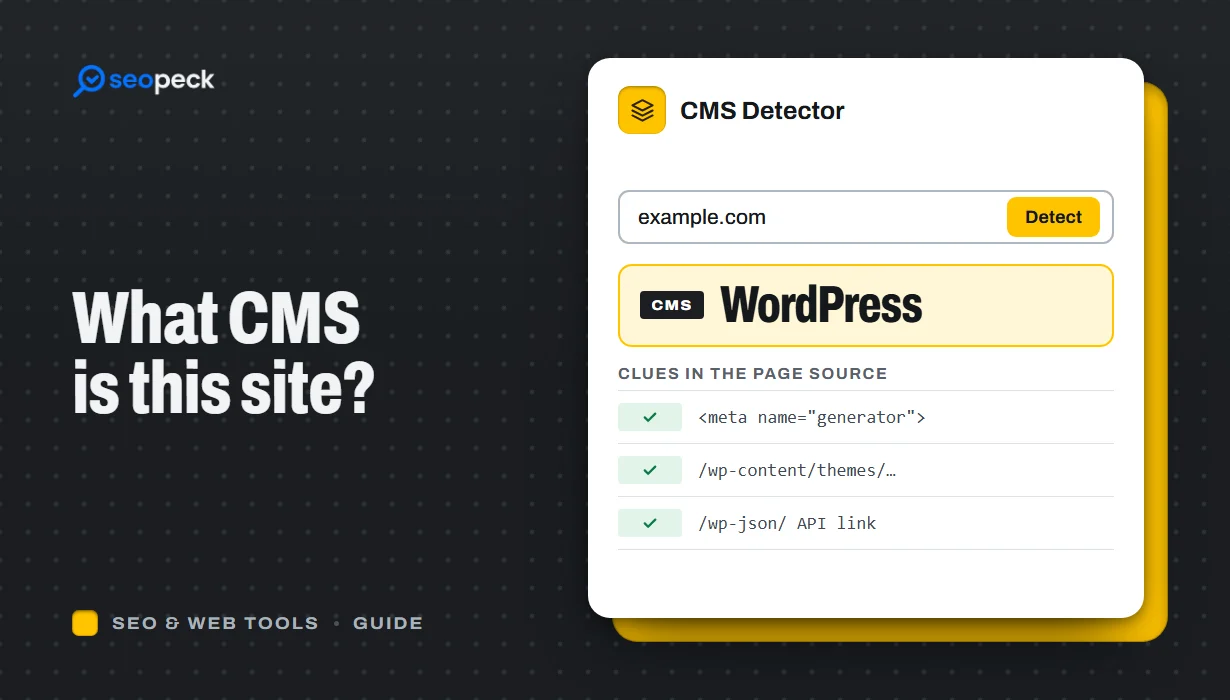
Find out what CMS any website is built with: paste the address into a CMS detector, or check the page source, headers and robots.txt yourself.
The fastest way to find out what CMS a website uses is to paste its address into our free CMS detector and click Detect technology. It loads the page, reads its HTML, response headers, cookies and generator tag, and shows the platform at the top: WordPress, Shopify, Wix, Squarespace, Webflow, Drupal and so on.
No detector is right every time, so this guide also shows how to spot the same clues yourself, why some sites cannot be identified, and what to do with the answer.
The quick answer: use a CMS detector
- Open the CMS Detector.
- Type the site's address, for example
example.com. Any page of the site works, not only the home page. - Click Detect technology.
The result starts with a Built with box. That is the first CMS, shop platform or site builder found on the page. If the site prints a generator tag, its text is shown next to the address, for example generator: WordPress 6.8. Below that, everything else the check recognised is grouped by type: page builders, SEO plugins, JavaScript frameworks, web server, CDN, analytics, cookie banners, live chat, payments and more, with version numbers where the site reveals them.
If the box says No CMS or site builder detected, the page left no trace of a known platform. That is an answer too; the section on why detection fails explains what it usually means.
What the detector actually looks for
Every platform leaves fingerprints in the pages it produces. Our detector fetches one page from our server, the way a browser would, and checks four places:
- The generator meta tag. Many systems add
<meta name="generator" content="...">to every page, such as "WordPress 6.8", "Joomla! - Open Source Content Management", "Drupal 10" or "Wix.com Website Builder". - The HTML and script addresses. File paths and hostnames that only one platform uses, such as
/wp-content/for WordPress orcdn.shopify.comfor Shopify. - Response headers. Some platforms announce themselves in the HTTP headers, for example
X-Generator: Drupal 10or anx-wix-request-idheader on Wix sites. - Cookie names. For example
PHPSESSID(PHP),ASP.NET_SessionId(ASP.NET) orOCSESSID(OpenCart).
It runs two sets of rules. The first is our own list of about 130 technologies, including the CMSs people ask about most: WordPress, Joomla, Drupal, Ghost, TYPO3, Craft CMS, HubSpot CMS, Blogger, Umbraco, DotNetNuke, Concrete CMS, Strapi, Statamic, Contentful and Sanity; the shop platforms Shopify, WooCommerce, Magento, PrestaShop, BigCommerce, OpenCart, Salesforce Commerce Cloud and Ecwid; and the site builders Wix, Squarespace, Webflow, Weebly, Duda, Framer, Carrd, Tilda, Jimdo, GoDaddy's and Hostinger's builders. The second is the open-source webappanalyzer fingerprint set, which adds more than 7,000 other technologies for anything the first list missed.
One clear match is enough, and some finds imply others. A page that loads Elementor, Yoast SEO or WooCommerce files is reported as WordPress even if the site has hidden the usual WordPress clues.
It does not log in, guess admin URLs, scan for vulnerabilities or crawl the site. It sees what one page sends to any visitor, nothing more.
How to tell what CMS a website uses by hand
One or two of these checks are usually enough.
1. Look at the page source
Press Ctrl+U (Windows, Linux) or Cmd+Option+U (Mac) to view the source, then search it with Ctrl+F. On a phone, or to save a copy, use our View Page Source tool instead. Search for these strings:
| Search the source for | Usually means |
|---|---|
name="generator" | Read its content: it often names the CMS and version outright |
/wp-content/, /wp-includes/, wp-json | WordPress |
cdn.shopify.com, Shopify.theme | Shopify |
static.wixstatic.com, parastorage.com | Wix |
static1.squarespace.com | Squarespace |
data-wf-page, data-wf-site | Webflow |
/sites/default/files/, drupal-settings-json | Drupal |
/media/jui/, /components/com_ | Joomla |
/ghost/api/ | Ghost |
/_next/static/, __NEXT_DATA__ | A Next.js front end (often in front of a headless CMS) |
From the command line, the same check on Mac or Linux is:
curl -s https://wordpress.org/news/ | grep -i 'name="generator"'When we ran it on 3 November 2026 it printed two lines, one naming the WordPress version and one naming a podcast plugin:
<meta name="generator" content="WordPress 7.2-beta4-65244" />
<meta name="generator" content="Seriously Simple Podcasting 3.17.1" />
On Windows, use curl.exe -s https://wordpress.org/news/ | findstr /i generator. Type curl.exe, not curl: in Windows PowerShell 5.1, curl is an alias for Invoke-WebRequest and takes different options.
2. Try the giveaway URLs
Add a path to the domain and see what comes back:
/wp-json/: a WordPress site normally answers with a block of JSON describing its REST API. Some sites disable it, so a 404 does not rule WordPress out./wp-login.phpor/wp-admin/: a WordPress login screen. Many sites move or protect these, so treat a miss as "unknown", not "no"./administrator/(Joomla) or/ghost/(Ghost): the admin sign-in page.
Only look; never try to log in.
3. Read the HTTP response headers
Headers are sent before the page itself. Check them with our HTTP Headers Checker, or from a terminal:
curl -sI https://wordpress.org/news/Part of the real response:
HTTP/1.1 200 OK
Server: nginx
Content-Type: text/html; charset=UTF-8
Link: <https://wordpress.org/news/wp-json/>; rel="https://api.w.org/"
X-Frame-Options: SAMEORIGIN
That Link header pointing to wp-json with rel="https://api.w.org/" is WordPress announcing its REST API. Other headers worth knowing:
X-Powered-By: often names the language or platform, such asPHP/8.2.12,ASP.NET,Next.js,Craft CMSorWP Engine.X-GeneratorandX-Drupal-Cache: Drupal.x-shopidorpowered-by: Shopify: Shopify.x-wix-request-id: Wix.Server: usually the web server (nginx, Apache, LiteSpeed) or the CDN (cloudflare), and on Squarespace sites, Squarespace.
The headers also show cookies in Set-Cookie lines. Cookie names hint at the language more often than the CMS: PHPSESSID is PHP, laravel_session is Laravel, csrftoken is often Django.
4. Open robots.txt
Go to https://the-site.com/robots.txt. Platforms ship default files with recognisable lines:
- WordPress:
Disallow: /wp-admin/andAllow: /wp-admin/admin-ajax.php. - Shopify: a long list of rules for
/cart,/checkoutand/account, usually with a comment saying the site uses Shopify. - Drupal: rules for
/core/,/profiles/and/user/login. - Joomla: rules for
/administrator/,/components/and/modules/.
To read a site's robots.txt and test URLs against it, use our Robots.txt Tester. Note that our CMS detector does not read robots.txt, so this check can catch a platform the detector missed.
5. Check the footer
Many sites on Wix, Squarespace, Shopify or Blogger keep a "Powered by" credit in the footer.
Why detection sometimes fails
When the detector, or your own checks, find nothing, one of these is usually the reason:
- Headless CMS. The content is written in a CMS such as Contentful, Sanity, Strapi or a headless WordPress, but visitors get pages built by a separate front end, often Next.js, Nuxt, Gatsby or Astro. The front end is visible; the CMS often is not. A clue: image addresses on
images.ctfassets.net(Contentful) orcdn.sanity.io(Sanity), which the detector does recognise. - Custom build. Plenty of sites, including large ones, run on code written for them. There is no CMS to find. You may still see the framework (Laravel, Django, Ruby on Rails, ASP.NET).
- Hidden markers. Security plugins and careful developers remove the generator tag, rename folders and strip
X-Powered-By. Hiding the version is common; hiding the whole platform is harder, so look for plugin paths and image URLs. - Static export or heavy caching. A site can be built in a CMS and then published as plain HTML files, with almost no trace left.
- CDNs and firewalls. Cloudflare, Akamai, Sucuri and similar services sit in front of the site. Their bot protection may answer an automated request with a challenge page, so the check sees the challenge, not the site. A 403 or 503 status is the usual sign; our guide to HTTP status codes explains what each means.
- Different software on different parts. The shop may run on Shopify while the blog runs on WordPress on
blog.example.com. Check the exact page you care about. To see which subdomains a site has, try the Subdomain Finder.
One page is also only a sample: a plugin that loads only on the contact page shows up only when you check that page.
What to do with the answer
Competitor and market research
Knowing that a competitor runs WordPress with a particular page builder, SEO plugin and cache plugin tells you what their stack can do and roughly what it costs to copy. Pair it with the Hosting Checker to see where the site is hosted, and with an SEO check to see how well the pages are actually optimised; our walkthrough on checking the SEO of any page shows how.
Theme and plugin hints
On WordPress, the source usually gives away the theme folder (/wp-content/themes/name/) and plugin folders (/wp-content/plugins/name/). A folder name can be a child theme or a renamed copy, so search it before you buy anything.
Security and maintenance
On your own site, the result shows what the world can see. A generator tag with an old version number tells attackers which known flaws to try. Keep the CMS and plugins updated; hiding the version is a small extra, not a fix.
Before a quote or a migration
Moving a Wix site, a Shopify store and a custom Laravel app are very different jobs, so check the platform before you quote. Our on-page SEO checklist lists what to keep intact when a site changes platform.
Frequently asked questions
How can I tell if a website is WordPress?
View the page source and search for /wp-content/. If it is there, the site is almost certainly WordPress. You can also open /wp-json/ on the domain, or run the address through the detector, which also lists the page builder and SEO plugin when it can see them.
Can I see a website's CMS version?
Sometimes. The generator meta tag or an X-Generator header often includes it, and the detector shows any version it finds. Many sites remove it on purpose, so a missing version is normal.
Why does the detector say "No CMS or site builder detected"?
The page left no trace of a platform we know. The site may be custom-built, use a headless CMS behind a JavaScript front end, hide its markers, or have blocked our request. Try the manual checks above, and try an inner page such as a blog post.
Is it legal to check what CMS a site uses?
Yes. The detector and the manual checks only read what the site sends to every visitor's browser: its HTML, headers and public files. Looking at that is how the web works. Trying to log in or probing for weaknesses is a different matter, and you should not do it on sites you do not own.
Can I find out which theme or plugins a site uses?
For WordPress, often yes: theme and plugin folder names appear in the page source, and the detector names common page builders, SEO, cache and form plugins. Plugins that only work on the server, such as backup or security plugins, leave no trace in the page.
Next step
Paste the site you are curious about into the CMS Detector. If the answer is "not detected", open the source and the headers and run through the five manual checks above; between them, they identify most sites that can be identified at all.


Keep reading
All guides-
 How to Check Any Page's SEO in 10 Seconds (and What Each Result Means)
Goes with On-Page SEO Checker
-
 What Is GZIP Compression, and Is It Working on Your Site?
Goes with GZIP Compression Test
-
 Which AI Crawlers Do the Top 1,000 Websites Block? (robots.txt Study, October 2026)
Goes with Robots.txt Generator