
SEO Chrome Extension by SEOpeck
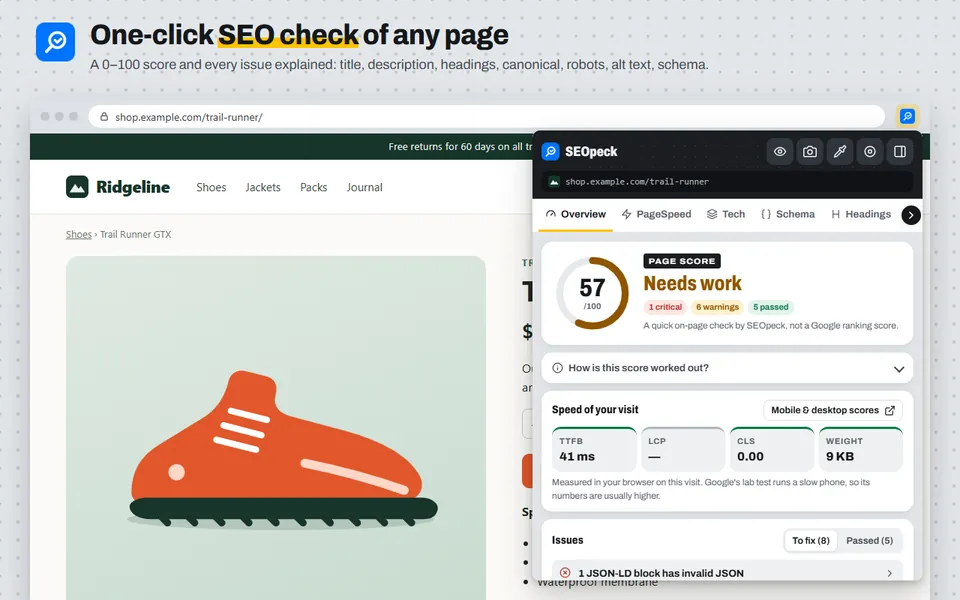
The SEOpeck extension checks the SEO of the page you are on with one click on the toolbar icon. No account, no copying URLs into a separate tool. It is free and works in Chrome and Microsoft Edge.
Using Microsoft Edge? Get it from Microsoft Edge Add-ons.
What it checks
- Score and issues. A quick 0–100 on-page score and a list of every problem it found: title and meta description length (measured in pixels, the way Google cuts them off), a missing or second H1, skipped heading levels, noindex, a canonical that points elsewhere, robots.txt blocking the page, images without alt text, http resources on an https page, Open Graph tags and broken structured data. The score is our own quick check, not a Google ranking score.
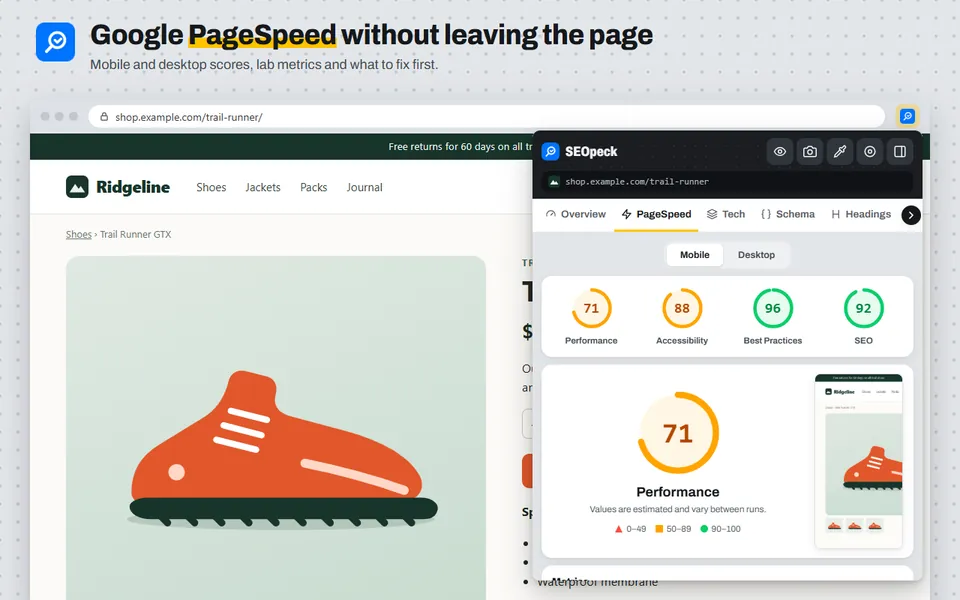
- PageSpeed. Google PageSpeed Insights for the page, on mobile and desktop: the Performance, Accessibility, Best Practices and SEO scores, lab metrics, real-user Core Web Vitals when Chrome has them, and what to fix first.
- Tech stack. The CMS, framework, JavaScript libraries, analytics and tag manager IDs, CDN, hosting, web server and security headers a site uses.
- Schema. Every JSON-LD block checked against Google's required and recommended properties for its type (Product, Article, FAQ, Breadcrumb, LocalBusiness, Recipe, Event and more), plus invalid JSON.
- Site files. robots.txt (is this page allowed for Google and Bing, and which AI crawlers are blocked), the XML sitemap (is this page listed), llms.txt and security.txt.
- Headings, links, images and social tags in their own tabs.
Highlight problems on the page
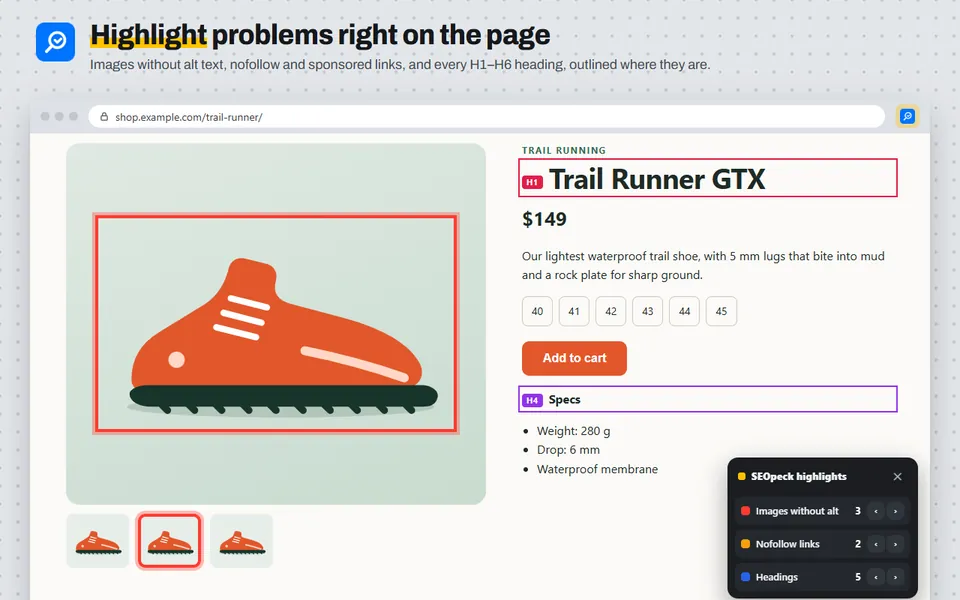
The eye button outlines problems directly on the page you are looking at: images without alt text in red, nofollow and sponsored links in amber, and every H1–H6 heading with its level. A small box counts each kind and steps through them one by one.
Built-in tools
- Screenshot editor with arrows, boxes, a pen, a highlighter, text and pixelate.
- Colour picker that gives HEX, RGB and HSL for any pixel on the page.
- Screen recorder for a tab, window or the whole screen, with sound and microphone.
- Side panel that keeps the report open while you browse.
- All SEOpeck tools searchable from the popup. SEO tools open with the current page already filled in, and screenshots or recordings can go straight into our image and video tools.
Privacy
The extension reads a page only when you open it, and the results stay in your browser. The one exception is the PageSpeed tab: it sends the page address to seopeck.com so we can run Google's test for you. It does not ask to read all your websites at install. The side panel's optional "Follow my browsing" setting asks for permission to read each page you open, only if you turn it on. The full details are in our privacy policy.
How to install it
- Open the SEOpeck page on the Chrome Web Store and click Add to Chrome.
- Click the puzzle-piece icon in the toolbar and pin SEOpeck so it is always visible.
- Open any website and click the SEOpeck icon, or press Alt+Shift+S.
In Microsoft Edge, open the SEOpeck page on Microsoft Edge Add-ons and click Get. Brave, Opera and Vivaldi install it from the Chrome Web Store.
Frequently asked questions
Is the SEOpeck extension free?
Yes. Every feature is free and you do not need an account.
Does it work on any website?
It works on normal web pages (http and https). Chrome does not let any extension read its own pages, such as the Chrome Web Store, the new tab page or chrome:// settings.
Is the score the same as my Google ranking?
No. The 0–100 score is a quick on-page check by SEOpeck: it starts at 100 and takes points off for each problem, more for critical ones. It helps you find things to fix, but Google does not use it.
Chrome says "Proceed with caution" when I install it. Is it safe?
That message comes from Chrome's Enhanced Safe Browsing, which shows it for extensions from publishers that are new to the Chrome Web Store. It is not a finding about the extension itself: Google reviewed and approved it before publishing. Chrome stops showing the message once a publisher has kept to its developer policies for a few months. The extension asks only for access to the tab you click it on, and the privacy policy lists everything it sends.
Why does the PageSpeed tab take a while?
Google loads the page on an emulated phone and a desktop and measures it, which can take up to a minute for large pages. A repeat check of the same page within 30 minutes comes back straight away.
How is it different from the tools on seopeck.com?
The extension checks the page you are already on. For a deeper report, links in the extension open the matching tool on seopeck.com, such as the On-Page SEO Checker or the Website Speed Test, with the page address filled in.